
 TL;DR
- The browser can receive server-rendered HTML and still wait for CSS or fonts before showing its text. Deliver the page’s styles and visible HTML before large startup data, and let the browser use fallback fonts while custom fonts download.
- Font subsets let the browser request files for the characters on the page. Individual SVGs avoid downloading an emoji font for a handful of icons.
- Following a link inside the app can fetch data and render a page without requesting its HTML. Smaller query results help that navigation; cached HTML helps readers who open the URL directly.
I built most of this blog with coding agents, switching between GPT Astra and Anthropic's Fable. I made the main architecture decisions and spent a lot of time on the design. Otherwise, I mostly let the agents run wild.
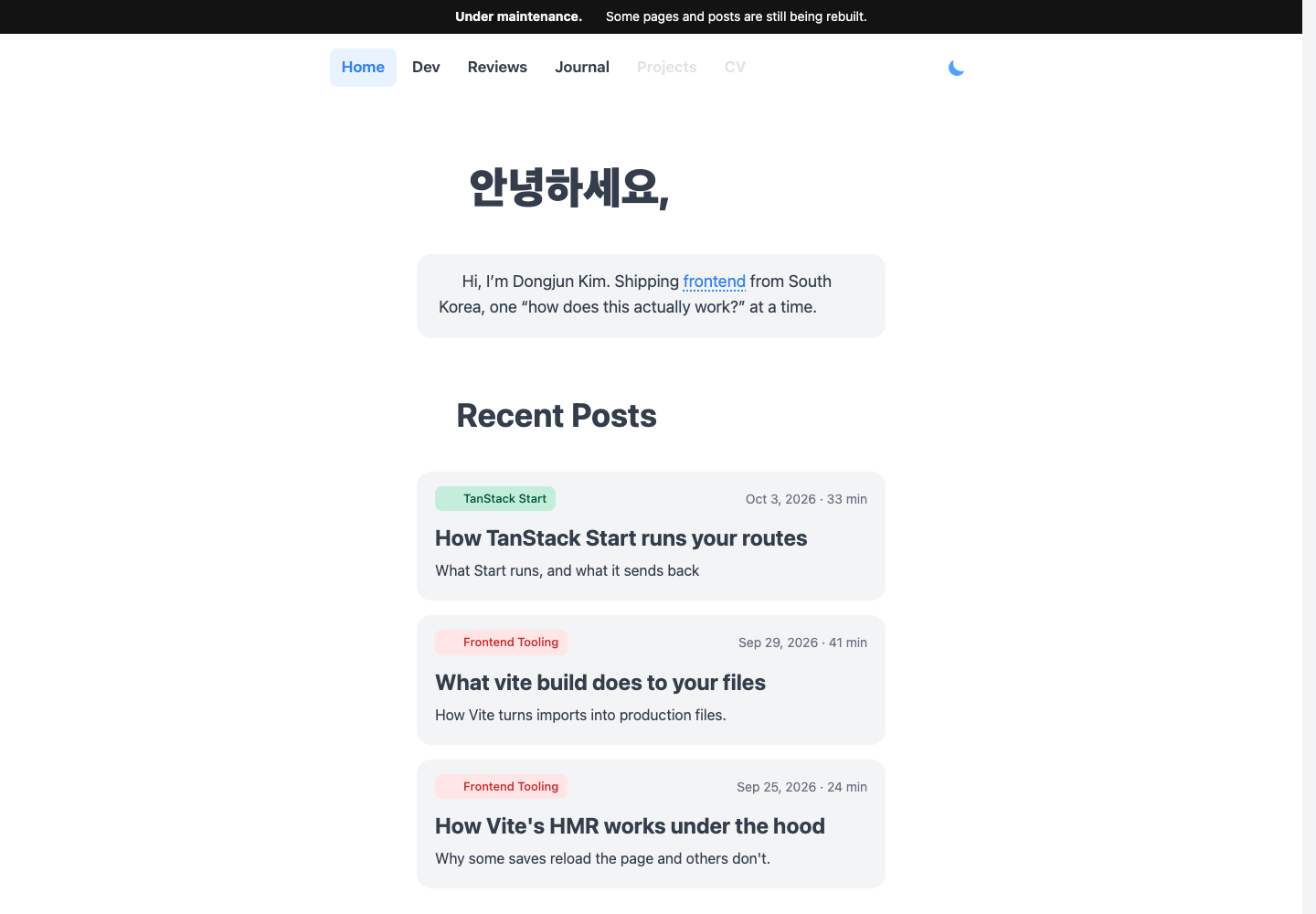
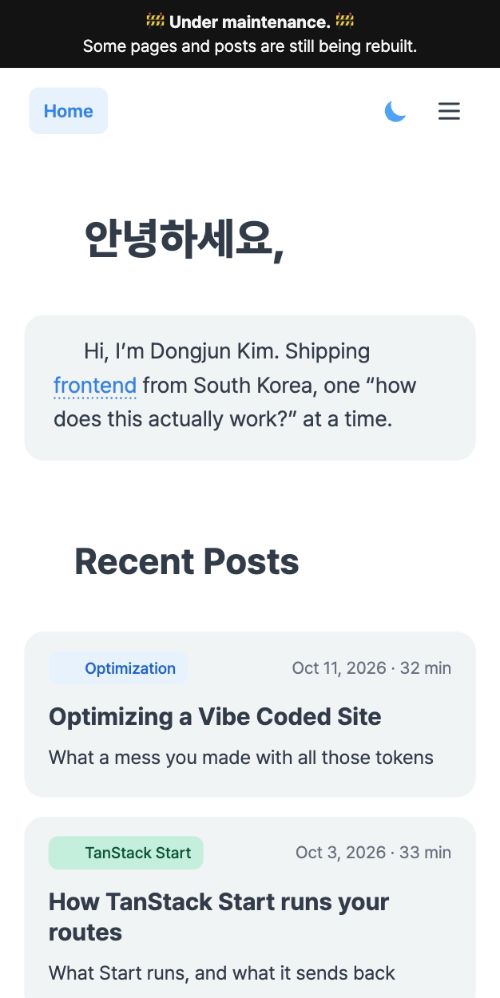
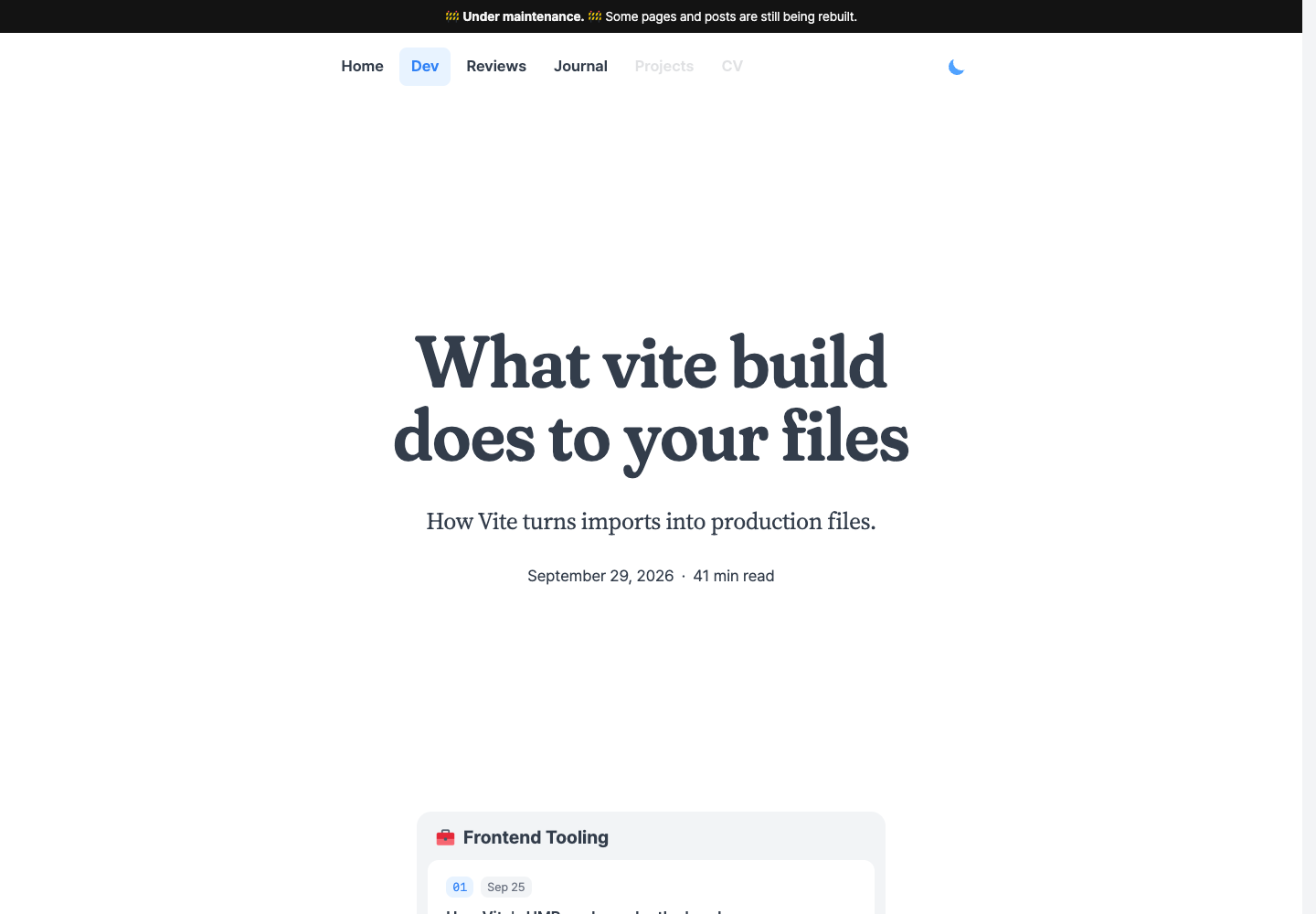
The result was a small homepage and some rather long articles:


It was also getting sluggish. I'd been putting off looking into that, but eventually I opened Lighthouse.
Seventeen megabytes
Lighthouse loads a page in Chrome and records its network requests and browser work. The mobile report uses that recording to estimate how the page would load on a slower phone. It measures how soon content appears, how long JavaScript and rendering work keep the browser too busy to respond and whether visible elements move around. Those measures contribute to its Performance score.
Here were the homepage and the Vite article:
- First Contentful Paint
- 2.3 s
- Largest Contentful Paint
- 3.8 s
- Total Blocking Time
- 230 ms
- Cumulative Layout Shift
- 0.003
- Speed Index
- 3.7 s
- First Contentful Paint
- 2.4 s
- Largest Contentful Paint
- 17.8 s
- Total Blocking Time
- 530 ms
- Cumulative Layout Shift
- 0
- Speed Index
- 5.1 s
FCP, First Contentful Paint, marks the first text or image drawn on the screen. LCP, Largest Contentful Paint, follows the largest visible text block or image. On the article page, that was the title. Lighthouse put its estimated LCP at 17.8 s. The page could show something before then and still leave the title blank.
Both pages also downloaded about 17 MB, nearly all of it fonts. Seventeen megabytes for a page of text.
Something had to be done. I started with the homepage.
The homepage was carrying the articles
The blog uses TanStack Start and stores its posts in a Convex database. When someone opens the homepage, a Vercel function runs the React page on the server. It queries Convex for the posts, renders the cards and sends HTML back to the browser:
Browser
Request
GET/Hi, I'm Dongjun.
What Vite build does
to your files
Vercel function
TanStack Start
await convex.query(
  api.posts.listPublished
)Render HTML
<article>
  What Vite build…
</article>
<script>
/* post data */
</script>
Convex
| # | title | summary |
|---|---|---|
| 1 | What vite build does… | How Vite turns imports… |
| 2 | How TanStack Start… | What Start runs… |
The browser can display that HTML before the React app starts. Start also embeds the query result in a script. At startup, the app restores those posts into a query cache in the browser, where React components can read them without waiting for another response from Convex.
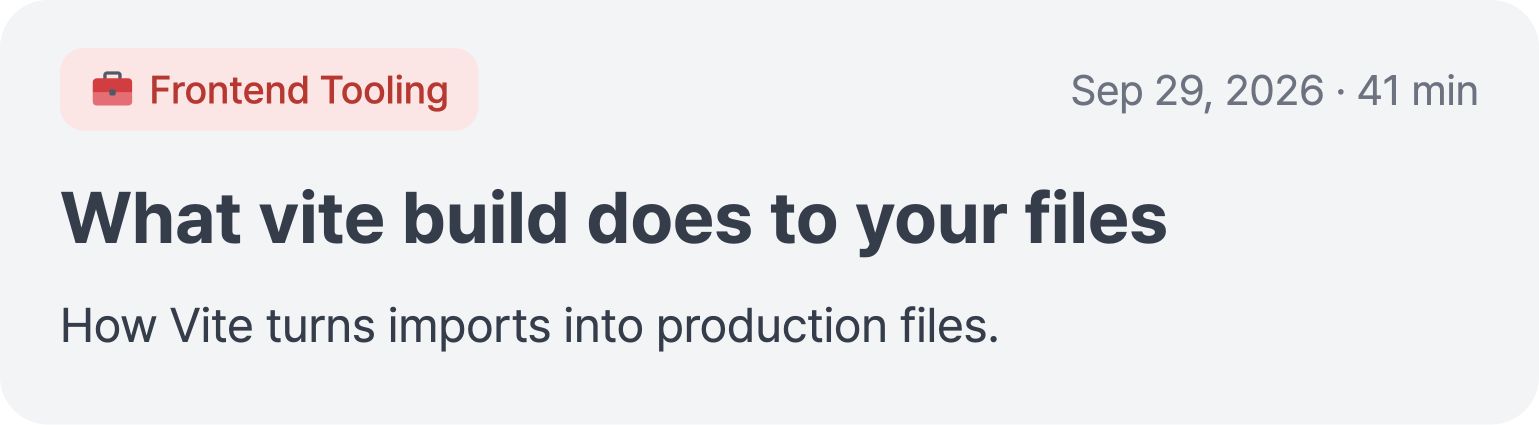
A card needs a title, a summary, a date and a link. It doesn't contain the article:
The query returned the article anyway. Every post included two large fields. content holds the MDX I edit: Markdown with React components mixed in. Saving a post compiles that source into JavaScript and stores it in compiledContent. The article renderer runs that code to create the text and custom components. Here is a small heading, from the source I save to the HTML it renders:
## Hello_jsx("h2", {
children: "Hello"
})<h2>Hello
The homepage needs neither the MDX source nor the compiled JavaScript to render its cards. Yet the list query returned both fields for every published post, and Start put the entire result into the HTML response. The data script occupied 851 KB of an 875 KB document. The stylesheet link came after it.

The browser reads HTML as it arrives and creates elements for the heading, cards and other content. CSS supplies their fonts, colours and layout rules. The browser matches those rules to the elements, calculates their sizes and positions, then paints them on the screen. A stylesheet linked from the document’s head holds up that first paint until its rules arrive.
Here, the browser had to receive almost all that post data before even finding the stylesheet’s address. The root layout also hid the page with opacity: 0 on the <body> element. The stylesheet changed it to 1, so the page stayed invisible until that response arrived.
I changed the Convex list query to return only the fields used by the cards:
api.posts.listPublished [
{
- "content":
- "…\n## What the build left out\n…",
- "compiledContent":
- "…_jsx(_components.h2, {…children: \"What the build left out\"})…",
"title": "What Vite…",
"summary": "How Vite…",
"date": "…",
"slug": "…"
},
…
]
The result shrank from 837 KB to 2.2 KB as JSON. Start now embeds that small list in the HTML instead of copying every article into it. The title, summary and date on each card stayed the same.
This change had to happen in the query. Picking fewer fields inside the card component would leave the original query result intact, including the unused MDX source and compiled code that Start copied into the response.
What was in the stylesheet?
The stylesheet was late to start downloading. Before changing how it arrived, I looked at what the browser was waiting for.
The root layout imported globals.css, which contained the site's fonts, colours and layout rules. globals.css also imported Tailwind. During a production build, Tailwind scans the source files for utility names such as text-center and generates their CSS:
<h1 className="text-center">
  Hello
</h1>.text-center {
text-align: center;
}React renders the heading with class="text-center". The matching rule sets text-align: center, so the browser centres the heading’s text. Tailwind doesn't run in the browser; its generated rules are already part of the stylesheet.
That stylesheet served every public page. But Tailwind had scanned the editor and admin components as well. A textarea in the editor used resize-none, so the stylesheet included .resize-none { resize: none; }. A reader downloaded that rule despite never seeing the textarea. Tailwind selects rules from the source files it scans, not from the elements a particular page renders.
I excluded the editor and admin directories from the public CSS build:
/* src/styles/globals.css */
@import "tailwindcss" source("../");
/* …other imports… */
@source not "../components/editor";
@source not "../routes/admin";
Here, source("../") starts the scan at src/, relative to this CSS file. The two exclusions keep editor-only utilities out. I gave the admin layout its own stylesheet, admin.css, whose scan includes those directories. Loading /admin loads that stylesheet too. The editor keeps its textarea styles, while article readers no longer download them. Utilities used by both parts of the site remain in both stylesheets.
The root also imported KaTeX's CSS. KaTeX typesets formulas, but none of the stored articles had one:
// In the root layout
import "@/styles/globals.css";
import "katex/dist/katex.min.css";
A CSS import includes those rules in the build even if nothing on the page uses them. Changing Tailwind's scan doesn't remove rules imported from a library. I removed the KaTeX import from the root and kept its CSS as a separate file. Only a rendered formula now adds a stylesheet link for it. Pages without formulas request no KaTeX CSS.
Putting the rules where the browser can read them
Trimming the post data let the browser find the stylesheet sooner, and removing unused rules made the download smaller. A first-time reader still needed a second response before the browser could paint the page. I tried putting the shared rules directly in the HTML, inside a <style> element:
/<head>
<link rel="stylesheet"
href="/assets/main.css">
</head>/assets/main.css.text-center {
text-align: center;
}/<head>
<style>
.text-center {
  text-align: center;
}
</style>
</head>Both versions give the browser the same .text-center rule. The separate file keeps the HTML smaller. The inline version puts more bytes in that first response, but the browser receives the rules as it reads the page. It can use them before the React app starts.
The separate file has an advantage on the next page. Once the browser has downloaded it, another article can link to the same address and reuse the saved CSS. Inline rules belong to their HTML document. Reusing a saved document reuses its styles too, but downloading another article's HTML brings another copy of those rules.
I compared the two versions on the Vite article, giving the separate stylesheet a one-year browser-cache lifetime. Its filename included a hash of its contents, so changing the CSS would produce a new address. The browser could safely keep the old file without checking for changes on every visit.
The title appeared sooner with inline CSS on a first visit. Once the browser had saved the stylesheet, the times were close. The table shows median title-paint times recorded by Chrome:
| Opening the article URL | Inline CSS | Separate stylesheet |
|---|---|---|
| First visit | 0.76 s | 0.97 s |
| Same article again | 0.69 s | 0.70 s |
| After visiting the homepage | 0.72 s | 0.75 s |
The separate stylesheet transferred about 29 KB on the first visit and zero bytes in the other two cases. It was already in the browser. Those cached visits downloaded about 58 KB of HTML, compared with 87 KB for the inline version. The HTML response arrived in full even when reopening the same article.
Vercel's CDN had cached both the HTML and the CSS. That saved trips to the server, but the responses still had to reach the reader. A stylesheet already in the browser avoided that transfer altogether. Its saving was real; in these recordings, it did not produce a consistent advantage in time to paint.
I kept the shared CSS inline. It brought the first title paint forward by about 0.22 s, with little difference on the cached visits. The cost is about 29 KB in each new HTML download. A separate stylesheet would save those bytes across documents; for this blog, I chose the shorter first-visit wait.
Clicking a card once the app is interactive keeps the current document and its shared styles. It doesn't download another HTML response, so that path doesn't resend the inline CSS. A post can still need new diagram styles, which we'll get to in the navigation section.
To keep the rules in the HTML, I changed the root's CSS import:
// Before: include a stylesheet in the build
import "@/styles/globals.css";
// After: get the finished CSS as a string
import siteCss from
"@/styles/globals.css?inline";
Vite processes the Tailwind rules and CSS imports in both cases. With ?inline, it gives my server code the finished text in siteCss. The root layout places that text in the HTML it renders:
<head>
<style>{siteCss}</style>
{/* … */}
</head>
The browser receives a normal <style> containing CSS. It still has to match the rules to elements and calculate the layout. What disappears is the wait for a separate stylesheet response.
Including styles for the diagrams in the post
The articles use custom React components for diagrams and file trees. Their CSS had a similar problem to the editor's: the MDX renderer imported the full collection of components, and those components imported their stylesheets. Making a diagram available to authors therefore included its CSS even in posts that never used it.
I used CSS strings here too, but put the <style> inside the component that needs it. For a file tree, I import those rules as fileTreeCss and return them from the component:
import fileTreeCss from
"./file-tree.css?inline";
function FileTree() {
return (
<figure>
<style
href="file-tree"
precedence="article-figures"
>
{fileTreeCss}
</style>
{/* The file tree's rows */}
</figure>
);
}
When the server renders a post containing <FileTree />, React calls this function. It gets both the tree's elements and its CSS. Without a file tree in the post, there is no call and no <style> to send. Merely importing the component no longer adds its rules to the page.
The two props on <style> tell React 19 how to include it in the document. href="file-tree" identifies these rules; it is not an address to download. precedence="article-figures" puts them in the article-styles group. With these props, React places the <style> in the document's <head> and reuses it for every file tree. The rows stay in the article, where the browser applies those rules to them.
The file tree adds about 500 bytes of CSS. Larger diagrams share a stylesheet in groups. A post gets a group's rules when it renders a diagram from that group, once even if several diagrams need them. The shared page styles and those diagram rules all arrive in the HTML, ready to style the elements below.
Avoiding a second copy in JavaScript
The root layout runs in two places. The server renders it to produce HTML. Later, the browser runs its own copy of the React code to make the page interactive. Vite builds JavaScript for both environments from the same source.
That includes the siteCss import. A CSS string used by the root can therefore be included in both builds. The server uses its copy to write the <style> into the HTML. But the browser can then download the same rules again inside a JavaScript file:
<!-- In the HTML response -->
<style>
.text-center {
  text-align: center;
}
/* … */
</style>
// Browser JavaScript
const siteCss = `
.text-center {
  text-align: center;
}
/* … */
`;
These are two downloaded copies of the same CSS. The browser already has the first one and is using it to display the page. Sending another copy in JavaScript adds bytes without providing any missing styles.
I changed the root so only its server build uses the CSS string. import.meta.env.SSR is Vite's build-time flag: true when building server code, false when building browser code. The root now returns:
<style href="site" precedence="site">
  {import.meta.env.SSR
    ? siteCss
    : undefined}
</style>
In the server build, the condition keeps siteCss, which fills the <style> as before. In the browser build, it leaves undefined. With no remaining use of siteCss, the build removes the import and its CSS text from that JavaScript file. The browser still gets the rules through HTML, just without the second copy in JavaScript.
Returning an empty <style> in the browser might look as though it would erase the rules. Here, href="site" has a specific job. As with the file-tree styles, it tells React to reuse a stylesheet with that identity. The server-created <style> already has it. React keeps that element and its CSS when the app starts, rather than replacing its contents with the empty browser value.
I applied the same split to the larger diagram stylesheets: rules in the server's HTML, no duplicate string in browser JavaScript. This works for the first page because its styles have already arrived. Opening a different article by clicking a card can introduce diagrams whose styles aren't there yet; that path needs to fetch the missing rules, as we'll see below.
Sending the part that was already ready
The greeting above the cards doesn't need any posts. But the server was waiting for Convex before sending that part too.
The route loader prepares data before React renders the page. On the server, it shares a query cache with the card list. I changed the loader to start the posts query and return immediately, leaving the request in progress. The card list reads that query through useSuspenseQuery: it returns the posts if they are ready, or tells React that the cards must wait if they are not.
I wrapped the cards in a Suspense boundary, with empty card placeholders as its fallback. The greeting sits outside that boundary. React can render it and the placeholders while the query is still running:
/<style>…</style>
<h1>Hi, I’m Dongjun.</h1>
<div>…</div><article>
What Vite build…
</article>
<article>…</article>
<script>…</script>//The response to GET / stays open. The server sends the page’s styles, greeting and placeholders first. When the posts arrive, it sends the cards through that same response, along with a small script that replaces the placeholders.
The browser receives what it needs to draw the greeting while the server fetches posts. A slow query still holds up the cards, but the greeting can appear before the posts arrive.
Fonts for the text that's actually there
The homepage preloaded three fonts used only in articles. A preload is a link that asks the browser to download a file early, before it finds text that needs the font. Those links came from the shared root, so every page received them. I removed them from the root and put article-font links in the article route's head instead. The homepage stopped requesting those three unused files.
Most of the homepage's downloaded bytes came from two font families: Pretendard for text and Tossface for emoji. Their files contained many characters the page never used.
A font file is a collection of drawings
The text “Hello” identifies five characters. To draw them, the browser needs their shapes from a font file. CSS tells it which font to use.
An @font-face rule connects a family name to a file. Its src gives the address; the rule for body selects that family for the page:
@font-face {
  font-family: "Pretendard Variable";
  src: url("/fonts/pretendard/PretendardVariable.woff2");
}

body {
  font-family: "Pretendard Variable";
}
The original Pretendard file was 2.06 MB. It contained a large collection of characters, including many the homepage never used. Pretendard also provides the same family divided into smaller files. Each holds part of that collection.
The accompanying CSS adds unicode-range to each rule. This tells the browser which character numbers belong with that file. For example, H has the number U+0048. The range U+0041-004E means every number from 0041 through 004E, so it includes H.
The browser matches the text against those ranges and requests the relevant files. “Hello” needs one; “안” and “녕” need two others:
font-family: 'Pretendard Variable'| Name | Text |
|---|---|
PretendardVariable. | Hello |
PretendardVariable. | 안 |
PretendardVariable. | 녕 |
I replaced the original @font-face with Pretendard's subset declarations and copied their matching WOFF2 files into the site. The homepage then requested five files totaling 139 KB, down from 2.06 MB. It no longer downloaded the rest of the family.
The file containing “Hello” didn't include @. That character shared a 25.6 KB file with Korean syllables, so the footer's @djk01281 requested that whole file. I generated a new base file containing the same characters plus all printable ASCII characters: English letters, digits and punctuation.
I put its @font-face rule after the upstream rules. For the same family and weight, the browser checks the last matching rule first, so @ now selects the new file. The base file grew by 5.6 KB, and the footer no longer needed that separate download. The browser can still fetch the original file when Korean text needs its syllables.
The greeting “안녕하세요” needed two more files, about 46 KB together. Those files also contained many other characters. For that fixed greeting, I made a smaller subset containing just its five syllables: 2.8 KB, with the same letter shapes and variable weights.
I gave the subset its own family name and selected it only for the greeting. Other text, including the changing article titles, keeps using Pretendard's general subsets:
@font-face {
  font-family: "Blog Greeting";
  src: url("/fonts/pretendard/blog-greeting-v1.woff2");
  font-weight: 45 920;
  font-display: swap;
}

.home-greeting {
  font-family: "Blog Greeting", "Pretendard Variable", sans-serif;
}
If a character is missing from the greeting font, the browser tries Pretendard, then a system sans-serif font. The narrower file doesn't limit what the rest of the page can display.
The homepage also preloads the subset used by its English introduction. Normally, the browser discovers that hint when it reaches a <link> in the HTML. I put that font’s address and preload instruction in an HTTP Link response header too. Headers arrive before the HTML body, so the browser can start fetching the font while it is still receiving the inline CSS.
A waving hand that requested twelve fonts
Originally, the waving hand in the greeting used Tossface. It combines two characters into one picture: a waving hand and a skin-tone modifier.
U+1F44BU+1F3FB Displayed
The skin-tone character is U+1F3FB. The original CSS listed its range in every one of the twelve Tossface declarations:
@font-face {
  font-family: "Tossface";
  src: url("/fonts/tossface/TossFaceFontMac-00.woff2");
  unicode-range:
    …, U+1F3FB-1F3FF, …;
}

@font-face {
  font-family: "Tossface";
  src: url("/fonts/tossface/TossFaceFontMac-01.woff2");
  unicode-range:
    …, U+1F3FB-1F3FF, …;
}
Every rule included U+1F3FB, so all twelve files were candidates for the skin-tone character. But the font also had to draw the hand and skin tone together. The browser needs the font file to find out whether it can draw that combination; unicode-range alone doesn't tell it. Chrome can start a candidate's download and keep searching while it loads. Only file 00 contained the complete hand, but with these overlapping rules, displaying that one emoji started all twelve downloads: 13.8 MB.
The site mostly repeats a small set of emoji as icons. Tossface publishes those drawings as SVGs too. I replaced those uses with their individual images, including one SVG for the complete hand:

span.tossfaceTossFaceFontMac-00.woff2TossFaceFontMac-01.woff2…TossFaceFontMac-11.woff2img.inline-emojiu1F44B_u1F3FB.svgThe homepage now requests about 12.3 KB of emoji images; the article requests 8.8 KB. Reusing an icon in several places reuses its URL, so it doesn't need a different download for each appearance. Neither of these pages requests the Tossface font files anymore.
The homepage now receives its shared styles in the HTML. There is no separate stylesheet request holding up the first paint, and the font requests are for text on the homepage:

What came with the header
Displaying the HTML is only part of starting the app. The browser also loads the React code that connects controls such as the menu button to their event handlers. That code included an entire menu that was closed. The header imported the mobile menu, which imported its animation library. The build bundled them together:
CSS hid the menu button on a wide screen. It did nothing to remove the imported code.
I kept the button in the header and moved the panel behind a dynamic import. Hovering over the button, focusing it with the keyboard or pressing it starts the download:
import("./mobile-nav-panel")
The dynamic import produced two files:
Moving the panel out reduced the header file from 141 KB to 25 KB, before compression. The 117 KB panel now downloads only when a reader hovers, focuses or presses the menu button.
Most of that remaining 25 KB came from a helper for assembling CSS class names. It used tailwind-merge, which removes conflicting Tailwind utilities. Given px-2 px-2.5, for example, it keeps px-2.5: both set horizontal padding.
The header's links had no conflicting classes to resolve. The same helper also let post labels replace their default padding with a larger pair. I gave those labels an explicit choice, so they never supplied both pairs at once:
padding === "roomy"
  ? "px-2.5 py-1"
  : "px-2 py-0.5"
I changed those components to join their class names without checking for conflicts. With these startup components no longer importing tailwind-merge, the header file fell to 4.8 KB, before compression.
Getting the article onto the screen
An article page needs compiledContent so React can render the post. It still doesn't need content, the MDX source used by the editor. I added a Convex query for article pages that returns the post's details and compiled JavaScript, leaving out the MDX source.
For the Vite article shown at the start, this reduced the post's query result from 342 KB to 284 KB. Convex still stores the MDX source and compiled JavaScript; the editor can load the source when I want to change it.
When someone opens the article URL directly, the server uses the compiled JavaScript to render HTML and sends that HTML along with the query result. The HTML lets the browser display the article. The compiled JavaScript inside the query result lets React render the same article when the app starts in the browser.
The article also links to other posts in its series. It builds those links from the same published-post list that feeds the homepage. Before that query was trimmed, it returned the MDX source and compiled code for those posts here too.
The original HTML response began with the selected post's data, ahead of the stylesheet link. React also waited for the series list before rendering the article, so the server sent a placeholder first. The series data and completed article followed later, with a script to replace that placeholder. More than a megabyte arrived before the title's <h1>:
/blog/…<h1>What vite build……</h1><h1>What vite build……</h1>Trimming the shared list query also reduced the series data. Unlike the homepage greeting, the article component reads both query results before returning its title and text. I made the route loader wait for both, so React can render the completed article on its first pass.
Start still placed the selected post's data ahead of that HTML. I added a server transformation that holds the early data scripts, lets the rest of the HTML through, then inserts the held scripts just before the module script that starts the app. The browser reaches the title first, and React still receives its data before startup.
The same code block, fewer instructions
The code examples in an article are text for the reader to see. When I save a post, the syntax highlighter wraps words such as const in <span> tags. CSS gives those spans their colours. Originally, the compiler then turned each span into a JavaScript call to React. Here is the call for the highlighted word:
const answer = 42
_jsx(_components.span, {
  className: "token keyword",
  children: "const"
})const answer = 42
'<span class="token keyword">const</span>'_jsx creates a React element: here, a span with the class token keyword and the text const. A long example repeats that call for many coloured parts, even though their text and colours are already fixed when the article is saved. I changed the compiler to keep the highlighted HTML in a string instead. The <code> element receives it through dangerouslySetInnerHTML, which tells React to insert it as HTML. The browser still creates the spans, and the example keeps the same colours. The surrounding React component still handles the copy button.
The selected post's query result fell from 284 KB to 187 KB. The keyword colours and the resulting <span> elements stayed the same. Both ways of opening an article benefit: a direct visit embeds less data in the HTML, and a card click receives less through the WebSocket.
The missing title
In the original article, the date and surrounding text appeared while the title's space stayed blank:
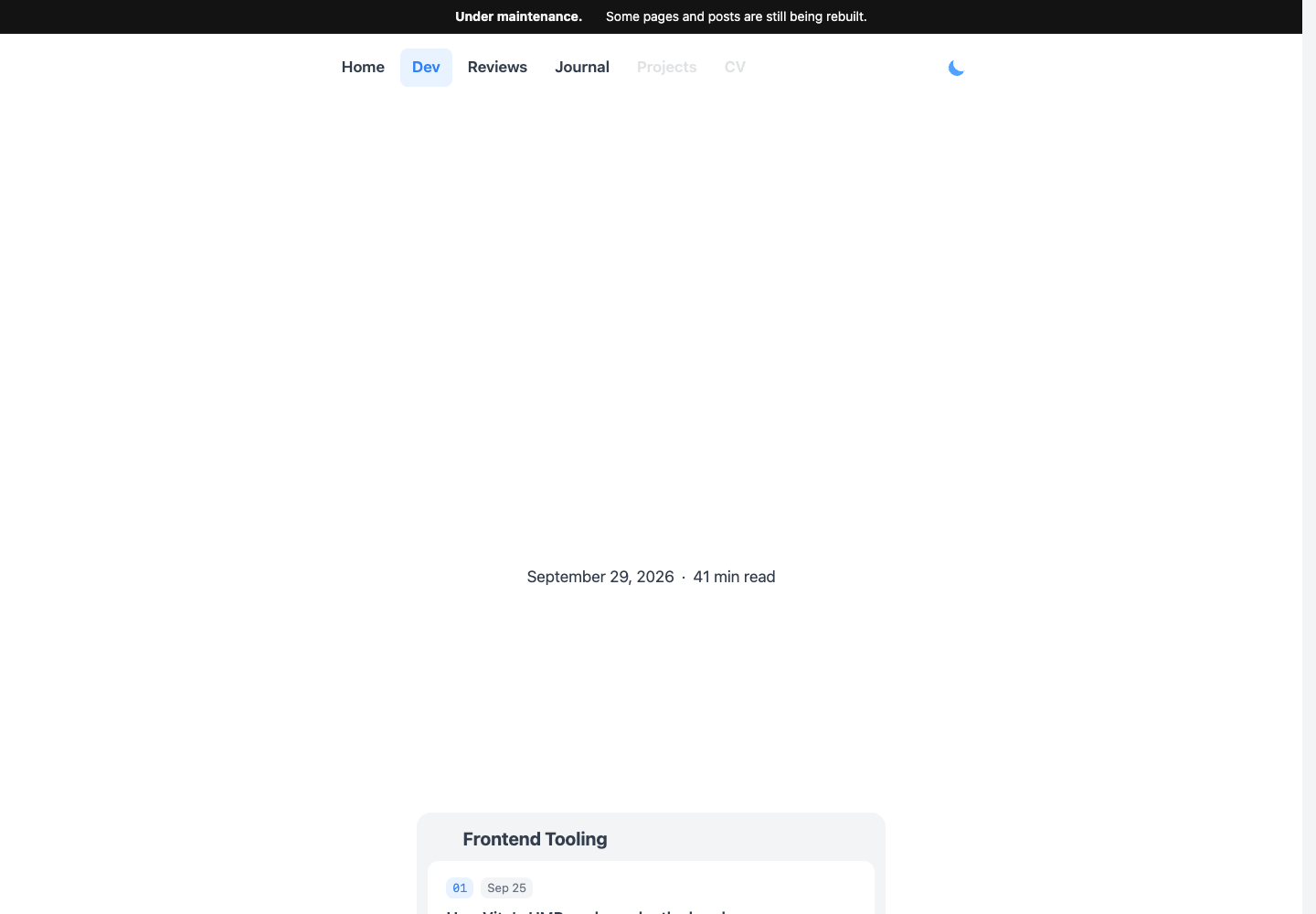
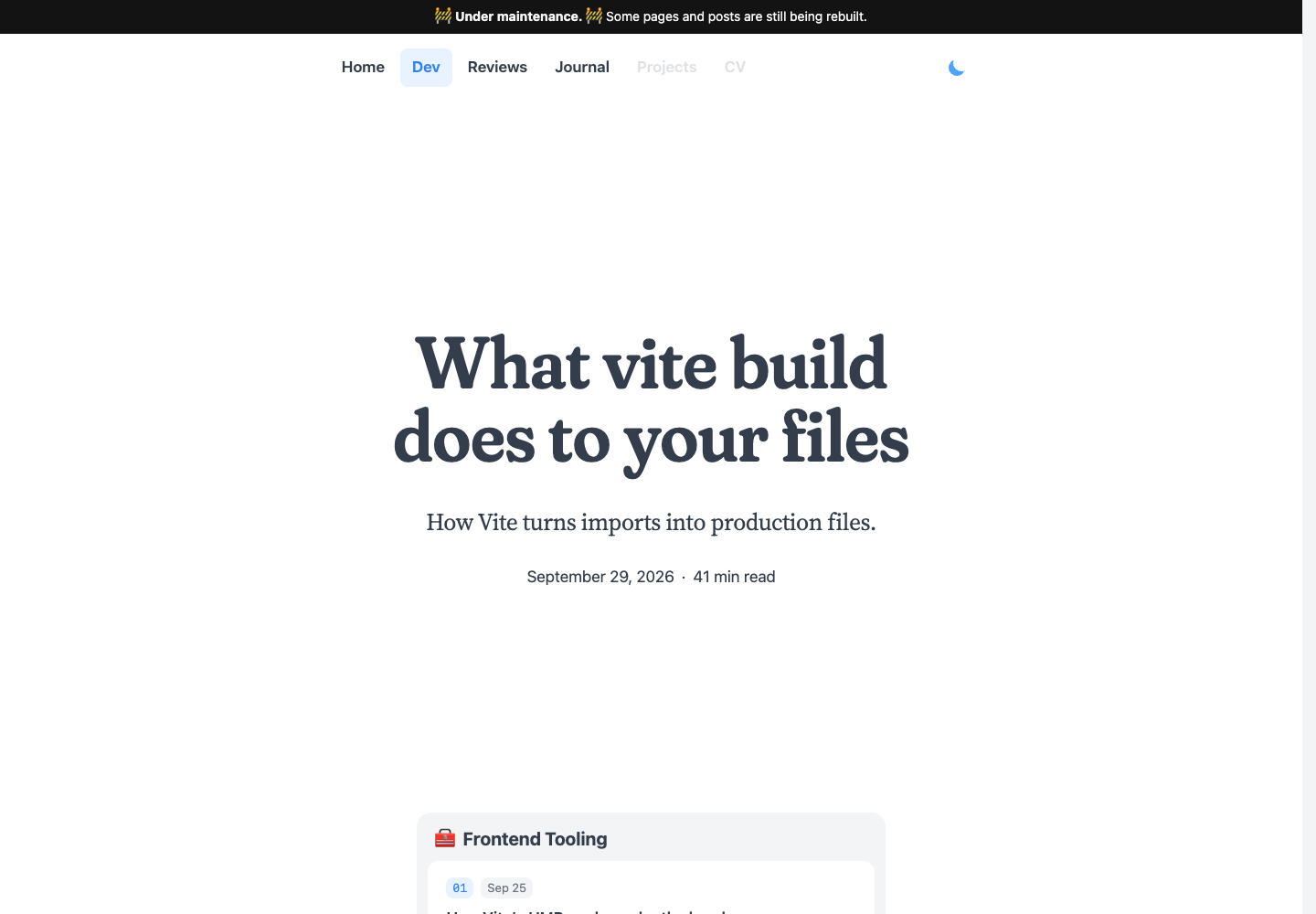
The title uses Fraunces. Its font rule contained font-display: block, which initially hides text while the font downloads. The browser reserves its space, leaving a hole where the heading should be.
I changed it to font-display: swap. The browser can draw the title with a fallback font, then redraw it in Fraunces once the font is ready:
@font-face {
  font-family: "Fraunces";
  src: url("/fonts/fraunces/Fraunces-normal.woff2");
  font-display: swap;
}
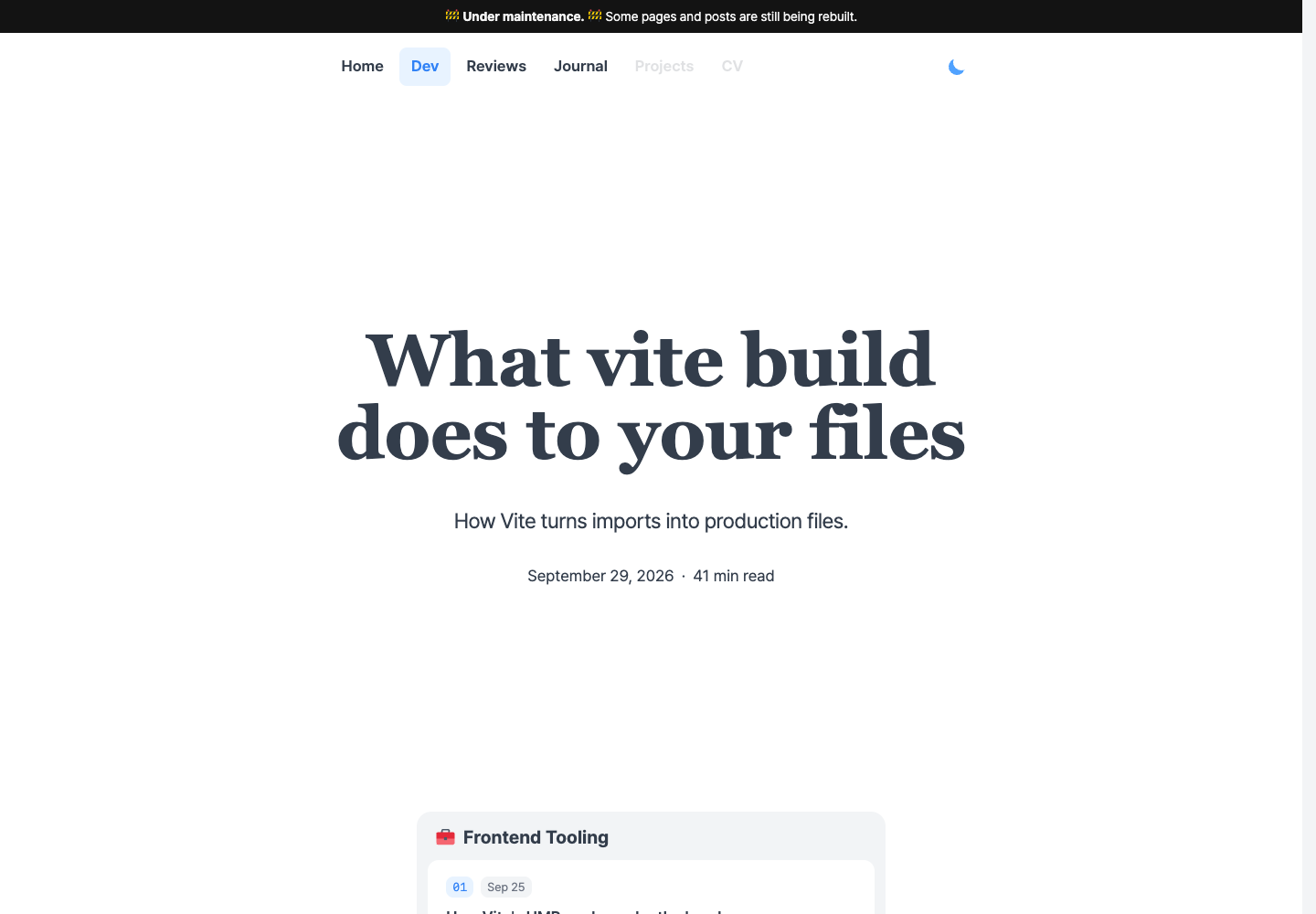
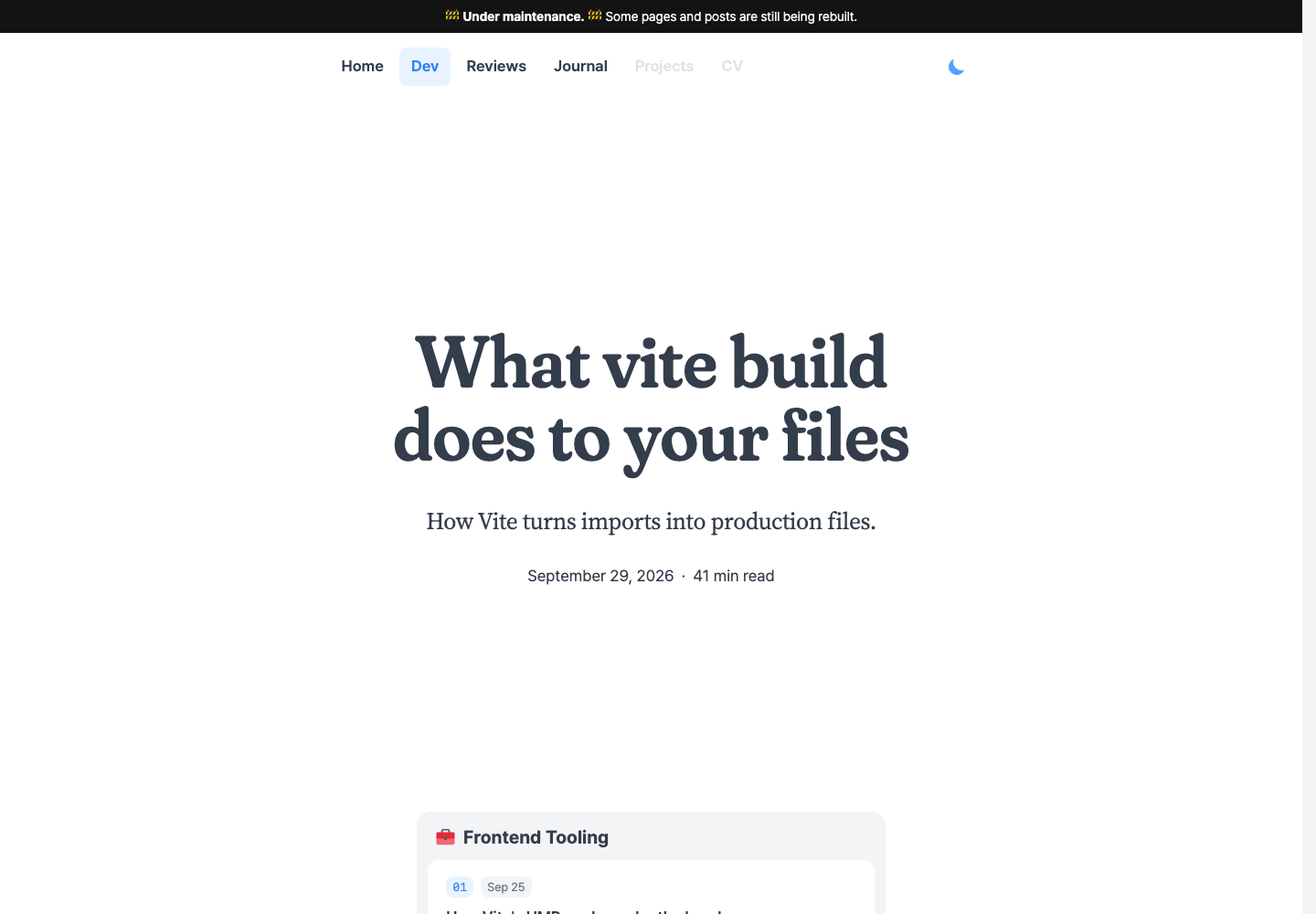
The first frame shows the title in a fallback font. Fraunces replaces those letters once it is ready, instead of leaving the title blank.
Keeping the shapes I chose
Fraunces is a variable font: CSS can adjust its letter shapes using settings stored in the font file. My headings always use semibold weight 600, softness 100 and leaning alternates 0:
Choosing those settings in CSS still downloads the whole original font. I used FontTools to write a new WOFF2 file: keep the selected weight, softness and alternates, then remove the data for changing them. I pointed the heading's @font-face and preload at that new file.
The non-italic file went from 121 KB to 33 KB, keeping every character. Optical size still varies, so the drawings can adjust for small text and large headings. Other weights and italic text use separate faces.
The paragraphs use Source Serif 4 at roughly 20px, in weights from 400 to 700. I kept those weights and fixed optical size at 20, choosing that design for all the body text. This reduced the non-italic file from 122 KB to 34 KB. CSS can still scale the letters, but their drawings no longer change with the text size.
I removed the preload for italic Source Serif 4 because no text on the opening screen uses it. The browser can fetch that file when italic text needs it. I kept the Fraunces preload in the response headers so the browser can start the title font before it reaches the heading in the HTML.
Reusing the rendered page
Opening the article URL also meant waiting for the server to generate its HTML. My request travelled from South Korea to the Vercel function in the eastern US. The function then queried Convex in Northern Virginia and rendered the article before sending it back.
A published article doesn't need a new render for every reader. Vercel's CDN can keep the completed HTML near them:
/blog/…djk01281.vercel.app/blog/…<h1>What Vite build…</h1>
<article>…</article>/blog/…djk01281.vercel.app/blog/…<h1>What Vite build…</h1>
<article>…</article><h1>What Vite build…</h1>
<article>…</article>The first request still reaches the function, which fetches the post and renders it. The CDN stores that HTML. Subsequent requests to the same nearby CDN location can receive the saved page without running the function or querying Convex again, while that copy is fresh.
I enabled this for published articles with the server's Vercel-CDN-Cache-Control header. After the request was sent, the final response headers arrived in about 32 ms from the cache, compared with 401 ms when the function had to answer.
Opening a post from the homepage
Clicking a card after the homepage is interactive does not ask Vercel for another HTML document. TanStack Router, Start's routing library, handles the navigation in the browser. It needs the code that renders article pages and the data for the selected post:
| What the browser needs | Where it comes from |
|---|---|
| Article layout, MDX renderer and the components used by the post | JavaScript files from Vercel |
| Selected post's title and compiled JavaScript | A query result from Convex over the existing WebSocket |
| Styles for any newly encountered diagram groups | CSS files from Vercel, if the page does not already have them |
The article layout and components come from the app’s build. The Convex result tells the MDX renderer what to render for this particular post. Together, they let React create the article’s elements in the browser. The CDN’s saved HTML isn’t used on this path.
Hovering a card starts loading before the click. In this navigation, the shared article-page JavaScript has finished downloading when the click happens, but the post data is still on its way:
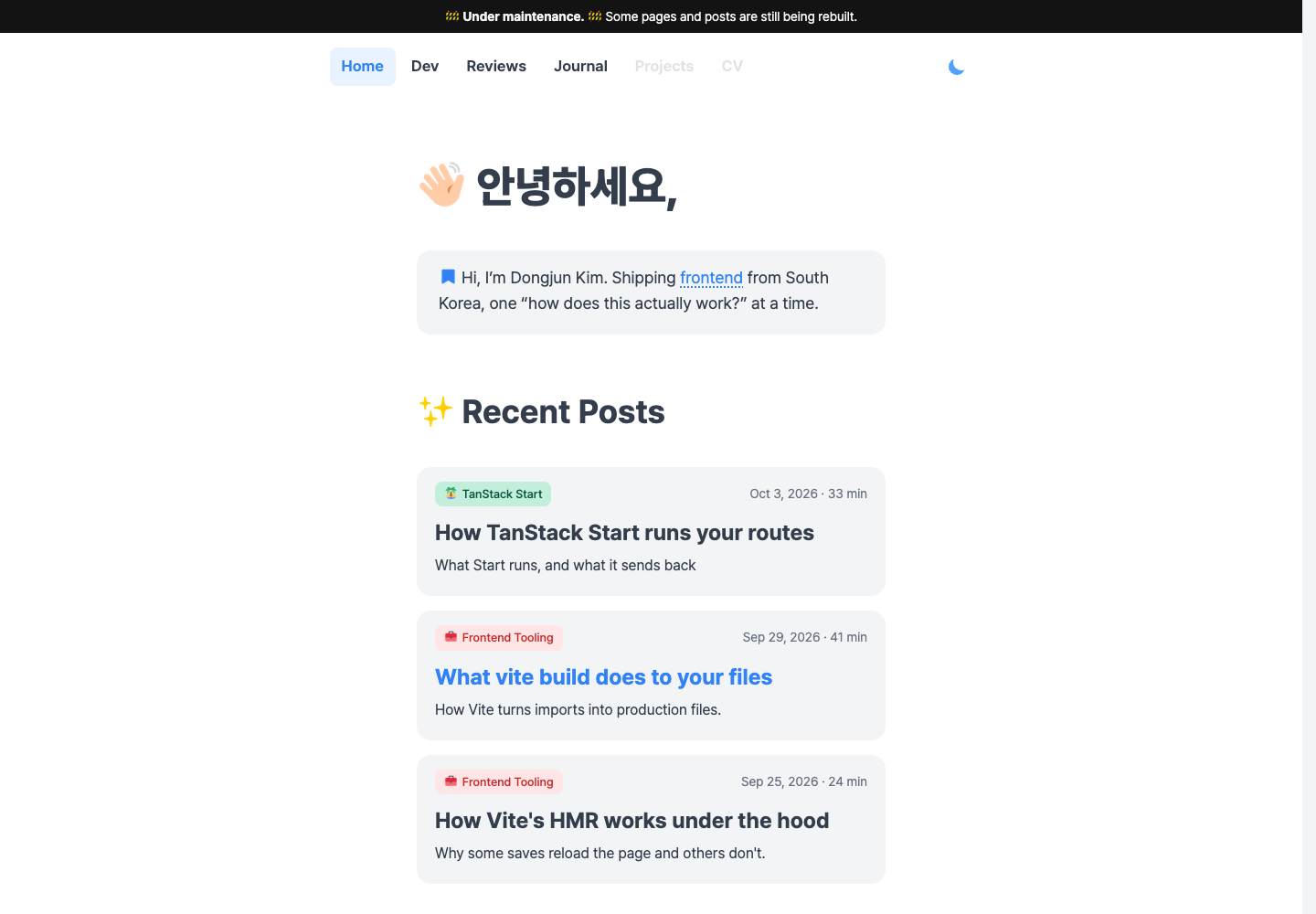
The title update follows the post data. The smaller query and compiled code leave a 187 KB result containing post details and rendering instructions. The original download also carried the MDX source and the larger version of those instructions.
Hovering a card runs the article loader in the browser. Alongside the data query, that loader now calls document.fonts.load() for the article fonts. The browser can start downloading them before React creates the article's text. Without a preceding hover, the loader runs at the click or tap.
Loading the components the post uses
An article can contain a tag such as <NetworkWaterfall />, but its compiled JavaScript does not include that component’s implementation. The MDX renderer supplies an object that maps the name NetworkWaterfall to its React function. That object used to import every diagram available to an author. Opening the Vite article therefore loaded diagrams the post never rendered.
I replaced the browser's eager imports with a small list of groups. Each group names its components and has a function that dynamically imports their code, just as the menu does:
{
  names: ["NetworkTable", "NetworkWaterfall", "Terminal", /* … */],
  load: () => import("./network"),
}
When I save a post containing <NetworkWaterfall />, the compiler records NetworkWaterfall among the names that post needs. The article loader finds that name in the network group and calls its import function. The downloaded module exports the React functions, which the renderer adds to the object it passes to the post. The compiled code can now look up NetworkWaterfall and render it.
The Vite post loads the network group; it does not load the diagrams for the TanStack Start article. Each import still downloads its whole group, so I separated older versions of diagrams from the ones used by current posts too. A post that uses an older diagram can still load it without making every current post download that code. Ordinary text, headings, code blocks and the small file tree stay in the shared renderer.
The article loader waits for those imports before switching pages. For server rendering, I kept the complete component collection ready. I give Start a separate implementation for each environment, using its createIsomorphicFn API:
createIsomorphicFn()
  .server(() => mdxComponents)
  .client(loadClientMdxComponents)
Here, mdxComponents is the complete name-to-function object. loadClientMdxComponents loads the groups selected for the post. Start removes the .server() implementation and its imports from the browser build, leaving the group loader. The server build keeps the complete object and can render an article without waiting for diagram-group imports.
A direct visit already includes the article's HTML and styles, but the browser still needs its component code. Start restores the server's completed route without running the article loader again. That skipped the loader's component preparation. The title stayed in place while React removed and rebuilt the article body during startup.
I added the same preparation to the router's startup. After restoring the query data, it reads the selected post's compiled JavaScript and loads the required component groups before React attaches to the existing elements. The browser displays the server's HTML during that wait. React can then reuse the article body instead of discarding and recreating it.
A card click needs to prepare the styles as well. It brings no new HTML document, so a newly encountered diagram may have no CSS on the page.
For the larger diagram groups, I include the CSS file's address in their browser code. Before showing a diagram, that code checks whether its rules already arrived with the page. React marks each inline <style> with the identity supplied by its href prop; I use the group's CSS URL as that identity. If the existing styles include that URL, nothing more needs to download. Otherwise, the diagram returns a link for that file:
<link
  rel="stylesheet"
  href={stylesheetUrl}
  precedence="article-figures"
/>
stylesheetUrl is the group's CSS address. React puts this link in the head and waits for the stylesheet before revealing the diagram. That keeps an unstyled figure from appearing first and moving the text when its layout rules arrive. Later diagrams can reuse the same link. The file tree's small rules remain in its JavaScript, so rendering a new tree adds them without another request.
Placing the margin notes
Once the code and data arrive, React creates the article's elements. The browser works out their sizes and positions, a step called layout, before painting them on screen. In this update, the browser spent 130 ms calculating layout while React was still working:
The margin notes contributed to that work. Their CSS uses position: absolute, and JavaScript sets top to line each note up with its paragraph. Each note used to run this sequence independently, where note and paragraph are the two DOM elements:
// Reset the previous position.
note.style.transform = "none";
note.style.top = "0px";

// Read both positions.
const noteTop =
  note.getBoundingClientRect().top;
const paragraphTop =
  paragraph.getBoundingClientRect().top;

// Align their upper edges.
note.style.top = `${paragraphTop - noteTop}px`;
getBoundingClientRect().top tells us how far an element's upper edge is from the top of the viewport. Reading both elements gives us the distance between their upper edges. CSS top controls a different distance: the note's offset from the container that positions it. Resetting that offset to zero lets us calculate how far to move the note, without including its previous adjustment.
The expensive part is the order. Setting note.style.top changes the CSS, but the browser can wait to calculate the resulting layout. Several CSS changes can be handled together before the next paint. A call to getBoundingClientRect(), however, must return the element's current position before JavaScript can continue. If a preceding CSS change has made the calculated positions out of date, the browser has to run layout right there to answer it. This is forced synchronous layout. It is why Layout appears inside the React update above.
After positioning one note, the old code started measuring the next. CSS changes kept appearing between measurements, making the browser calculate layout again. This repeated read-and-change cycle is called layout thrashing.
I collected the notes and their paragraphs into one array, then split the work into three passes. First, reset all the notes. Next, read all the positions and save the offsets. Finally, apply them:
// notes contains pairs of { note, paragraph } DOM elements.
for (const { note } of notes) {
  note.style.transform = "none";
  note.style.top = "0px";
}

const offsets = notes.map(({ note, paragraph }) => {
  const noteTop = note.getBoundingClientRect().top;
  const paragraphTop = paragraph.getBoundingClientRect().top;
  return paragraphTop - noteTop;
});

notes.forEach(({ note }, index) => {
  note.style.top = `${offsets[index]}px`;
});
The first read can still require layout after the resets. But nothing changes the CSS between that read and the remaining reads, so they can reuse the calculated positions. Only after all the measurements are finished does the code move any notes. For two notes, the order looks like this:
In the recorded article-update task, layout passes fell from 27 to 3. Moving the notes can still require layout before painting. The saving comes from removing the repeated calculations between notes, while placing them in the same final positions.
On narrow screens, the notes sit in the normal text flow. CSS already places them there, so I skip these position measurements until the screen is wide enough to put notes in the margins.
Keeping the current page visible
The router added a pause of its own. If navigation took more than 400 ms, it replaced the current page with a loading component. Mine rendered nothing. The router then kept that empty view for at least 500 ms, even if the article was ready sooner:

I disabled the article route's switch to that pending view by setting pendingMs: Infinity. The current page stays visible while the loader waits for the post and its component code. Once they are ready, the router switches to the article. Because it never enters the empty loading view, that view's minimum duration cannot delay the transition:
createFileRoute("/blog/$slug")({
  pendingMs: Infinity,
  // …
});
With that pending view disabled, the homepage stays on screen until the article replaces it:
Back to Lighthouse
- First Contentful Paint
- 2.3 s
- Largest Contentful Paint
- 3.8 s
- Total Blocking Time
- 230 ms
- Cumulative Layout Shift
- 0.003
- Speed Index
- 3.7 s
- First Contentful Paint
- 1.5 s
- Largest Contentful Paint
- 2.1 s
- Total Blocking Time
- 20 ms
- Cumulative Layout Shift
- 0
- Speed Index
- 1.9 s
- First Contentful Paint
- 2.4 s
- Largest Contentful Paint
- 17.8 s
- Total Blocking Time
- 530 ms
- Cumulative Layout Shift
- 0
- Speed Index
- 5.1 s
- First Contentful Paint
- 2.2 s
- Largest Contentful Paint
- 2.7 s
- Total Blocking Time
- 30 ms
- Cumulative Layout Shift
- 0
- Speed Index
- 2.2 s
The homepage went from 81 to 99, and the Vite article from 55 to 94. The article’s estimated LCP fell from 17.8 s to 2.7 s.
I went back through the code and cleaned up the mess. The homepage no longer carries every article, and a handful of emoji no longer pulls in megabytes of fonts.
The fonts, code blocks and margin notes are still here. Next time I ask an agent to add something, I’ll keep the Network tab open.